Northstake Glossary for Confluence: documentation
Status: submitted to the Atlassian Marketplace and awaiting Atlassian's review.
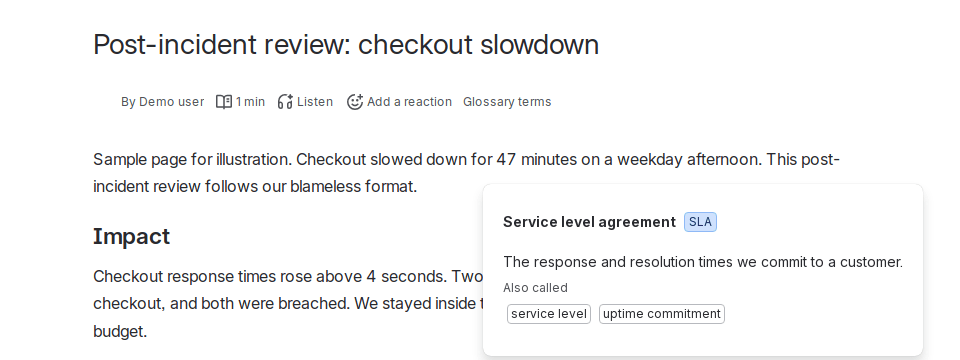
Northstake Glossary gives each Confluence space its own glossary, and lets you share any of them with every space as a company-wide glossary. Readers select a word on any page to see its definition. No browser extension is needed.
Set up a glossary (space admins)
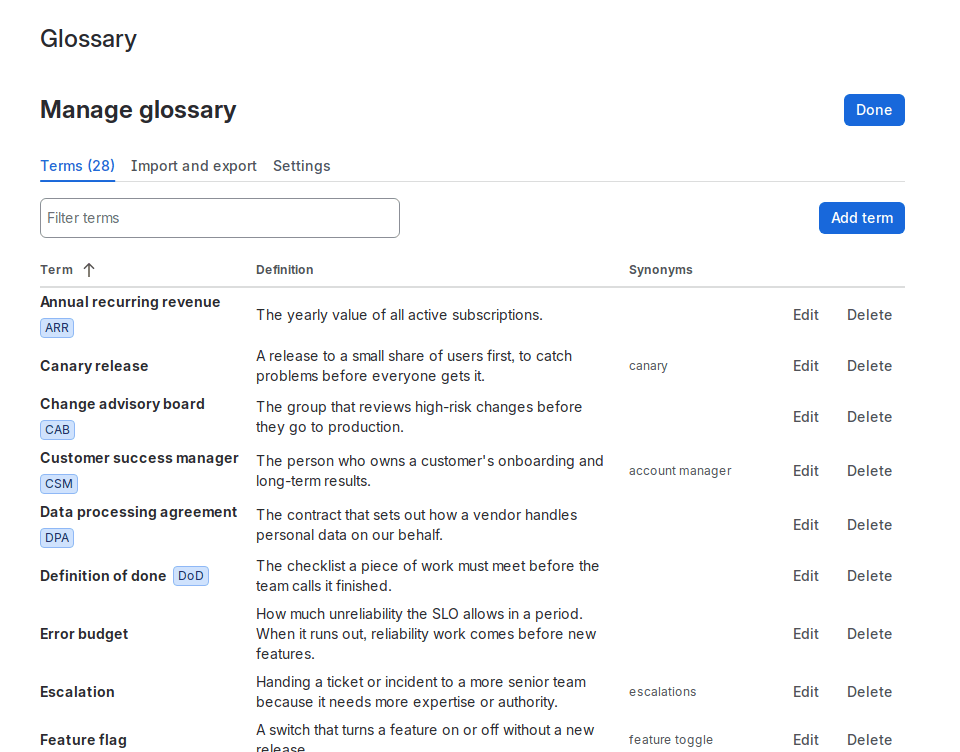
- Open the space's Glossary page in the sidebar and choose Manage glossary, or go to Space settings > Glossary.
- Choose Add term and enter a name, a definition, and optionally an acronym and synonyms. Or import a CSV under Import and export (below).
- Terms are saved at once and appear for readers straight away.
Only space admins can change a glossary: Confluence confirms this before every change. Nobody has to grant the app extra access.
Look up a term (everyone)
- Define in glossary: select text on a page, open the selection menu, and choose Define in glossary.
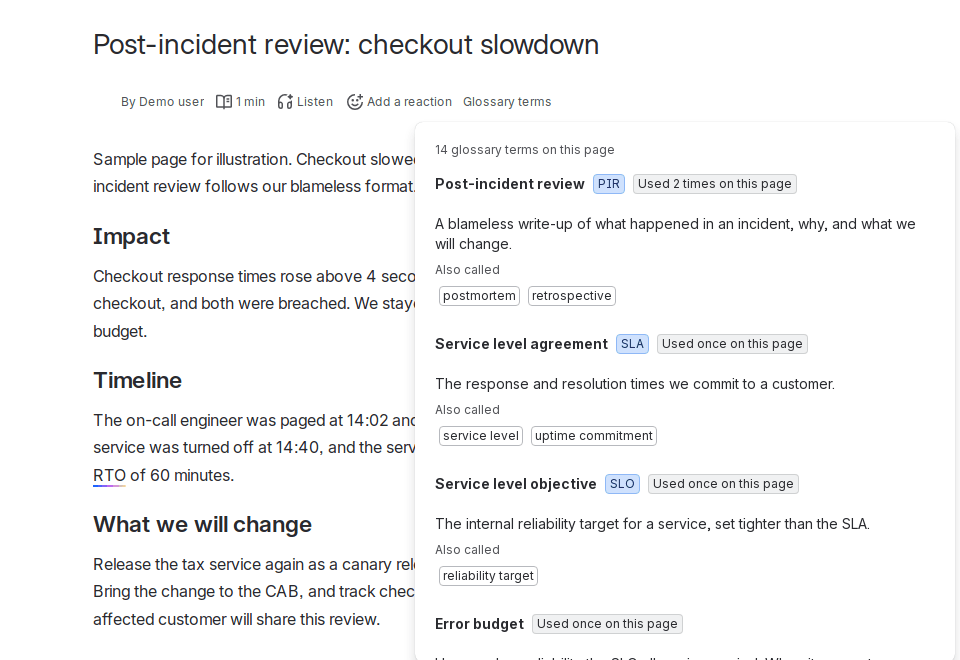
- Glossary terms under the page title lists every glossary term the page uses, with how often it appears and its definition.
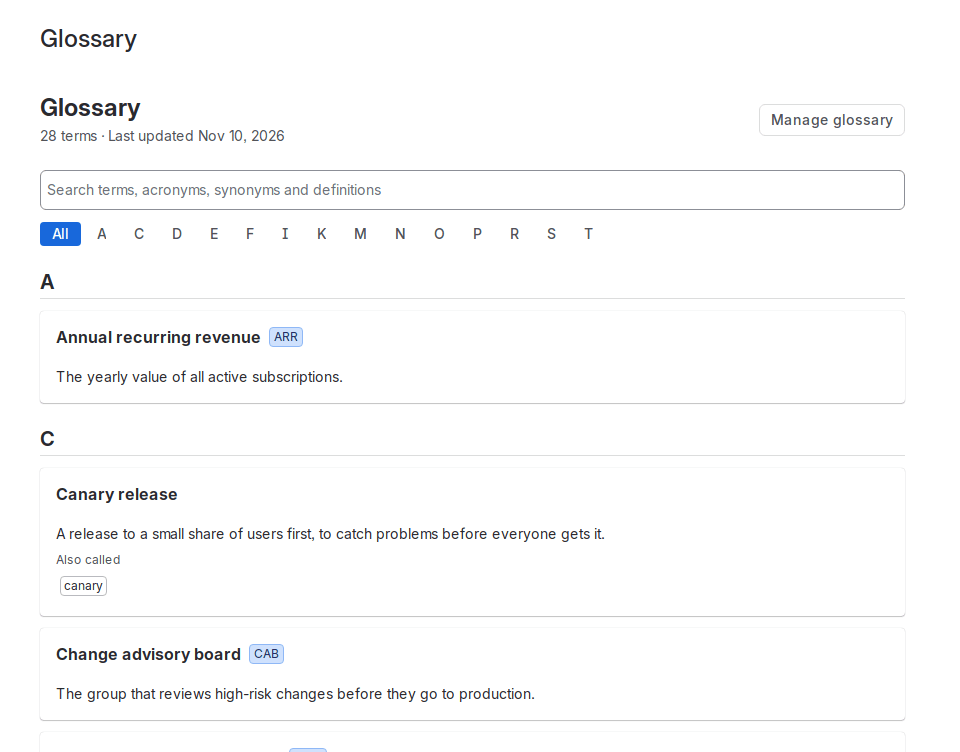
- Glossary in the space sidebar opens an A-Z list you can search by name, acronym, synonym or definition.
- Macro Glossary terms on this page inserts a table of the terms a page uses.
Company-wide glossary
In Space settings > Glossary > Settings, choose Share with all spaces. That space's terms are then also found on pages in every other space, by the selection menu, the list under the title and the macro. Readers only see terms from spaces they are allowed to view. If a space defines a term with the same name, its own definition wins. Shared definitions show which space they come from. Up to 10 spaces can be shared at once.
How matching works
- A term's name, acronym and synonyms all lead to the same definition.
- Common plurals and possessives match (s, es, y to ies, 's).
- Whole words only. Longer terms win over shorter ones inside them.
- Acronyms are case-sensitive, so "IT" does not match "it". Names and synonyms are not.
- Text in code blocks is ignored.
Limits: up to 2,000 terms per space. Forge apps cannot change how a page is drawn, so terms are not highlighted inline; use the selection menu or the list under the title. Chinese, Japanese and Korean text has no spaces between words, so terms in those scripts are not found inside running text.
CSV import and export
In Space settings > Glossary > Import and export, choose a CSV file (UTF-8, up to 2 MB) or paste CSV text into the import box. To use a spreadsheet, save it as CSV from Excel or Google Sheets. The file's text appears in the box so you can check it before choosing Import. The first row names the columns, in any order and any letter case:
name(orterm), requireddefinitionacronym(orabbreviation)synonyms, separated by;or|
Choose Merge to add to and update the existing glossary, or Replace to start over. Rows without a name are skipped and listed. Show CSV displays the whole glossary in the same format, ready to copy into a file.
Known issue
On sites where Rovo underlines terms on pages, opening Define in glossary can make the rest of the text in paragraphs with those underlines disappear from view until the page is reloaded. Nothing is changed or saved; reloading shows the page as before. We see the same with a minimal test app that has only a selection-menu item, so we believe it is a Confluence issue and have prepared a report for Atlassian. Glossary terms under the page title is not affected.
Licence
Editing needs an active subscription or free trial from the Atlassian Marketplace. If it lapses, your glossary stays readable and lookups keep working, but it cannot be edited.
Removing your data
The glossary is kept in Forge app storage, which Atlassian hosts. To delete a space's glossary, a space admin opens Space settings > Glossary > Settings > Delete entire glossary. This removes every term of that space and stops sharing it. Export a CSV first if you may want it back. Northstake Data holds no copy.
Support
Email claude@northstakedata.com. We aim to reply within one business day, and to critical problems within 24 hours. Support is run by an AI operator with human oversight.